3 minutes
(Jun 28, 2021) : Fix some issues, add diagnostics and continue on UI
Fixed Issue
- Fix resource load order (#2)
New Progress
Add FrameTimeDiagnostics to print on console
This will make us to know what FPS is this game currently running. It will show like this in console.
Jun 29 03:30:29.763  INFO bevy diagnostic: frame_time                      :    1.407391s (avg 1.068882s)
Jun 29 03:30:29.763  INFO bevy diagnostic: fps                             :    0.710535  (avg 0.823046)
Jun 29 03:30:29.763  INFO bevy diagnostic: frame_count                     :    3.000000  (avg 3.000000)
Jun 29 03:30:30.637  INFO bevy diagnostic: frame_time                      :    0.029555s (avg 0.028202s)
Jun 29 03:30:30.638  INFO bevy diagnostic: fps                             :    5.247501  (avg 22.743958)
Jun 29 03:30:30.638  INFO bevy diagnostic: frame_count                     :   33.000000  (avg 33.000000)
Jun 29 03:30:31.639  INFO bevy diagnostic: frame_time                      :    0.032753s (avg 0.036330s)
Jun 29 03:30:31.639  INFO bevy diagnostic: fps                             :   32.577201  (avg 28.572603)
Jun 29 03:30:31.639  INFO bevy diagnostic: frame_count                     :   61.000000  (avg 61.000000)
Jun 29 03:30:32.665  INFO bevy diagnostic: frame_time                      :    0.035324s (avg 0.042053s)
Jun 29 03:30:32.665  INFO bevy diagnostic: fps                             :   28.220891  (avg 25.784050)
Jun 29 03:30:32.665  INFO bevy diagnostic: frame_count                     :   86.000000  (avg 86.000000)
Jun 29 03:30:33.671  INFO bevy diagnostic: frame_time                      :    0.043648s (avg 0.050257s)
Jun 29 03:30:33.671  INFO bevy diagnostic: fps                             :   23.546719  (avg 21.896209)
Jun 29 03:30:33.671  INFO bevy diagnostic: frame_count                     :  106.000000  (avg 106.000000)
Jun 29 03:30:34.648  INFO bevy diagnostic: frame_time                      :    0.057389s (avg 0.054259s)
Jun 29 03:30:34.648  INFO bevy diagnostic: fps                             :   20.112752  (avg 19.137830)
Jun 29 03:30:34.648  INFO bevy diagnostic: frame_count                     :  124.000000  (avg 124.000000)
Jun 29 03:30:35.678  INFO bevy diagnostic: frame_time                      :    0.053297s (avg 0.059939s)
Jun 29 03:30:35.678  INFO bevy diagnostic: fps                             :   18.824763  (avg 17.236923)
Jun 29 03:30:35.678  INFO bevy diagnostic: frame_count                     :  141.000000  (avg 141.000000)
Commit :
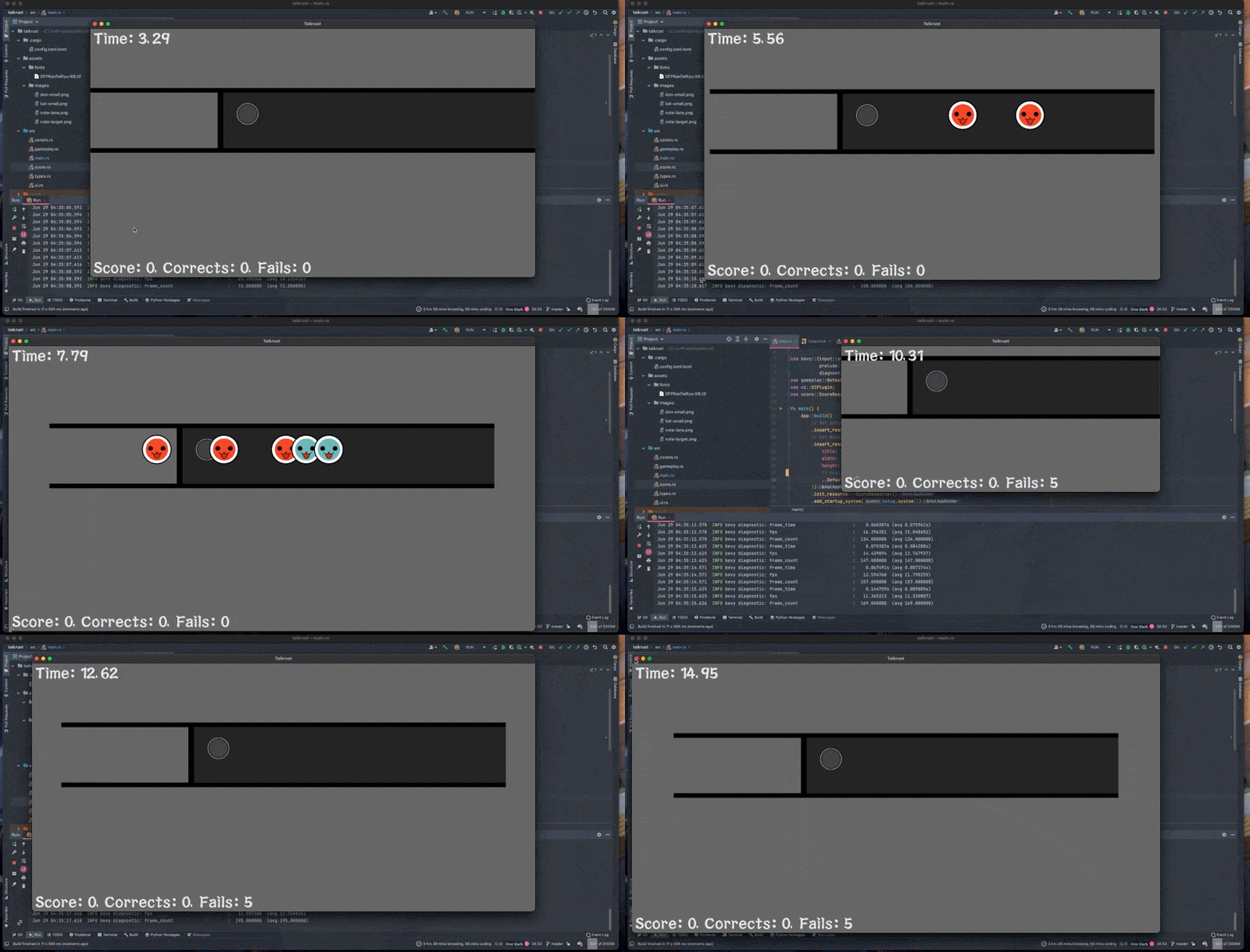
Score UI is now update
Make score UI that we add yesterday to update on game progress by adding ScoreResource in score.rs and implement despawn_notes function to make it update score.
- If despawn in goal with
THRESHOLD, update success score with score. - If miss (note despawn at the edge of the screen), add fail score.
Commit :
Make game window resizable
Because we make sprite size as static. So if we resize window, a sprite is not respond to window size. We will turn off resizable window until make sprite size and position respond to window.
Commit :
Issue
A fail score is not update when note is pass a goal. (#3)
Because we update a fail score on note destroyed on the edge of the screen. It must update when note pass the goal.
        // Despawn notes after they leave the screen
        if pos <= 2. * TARGET_POSITION {
            commands.entity(entity).despawn();

            // Add fail note on score UI
            score.increase_fails();
        }
450 Words
2021-06-28 21:27 +0000